
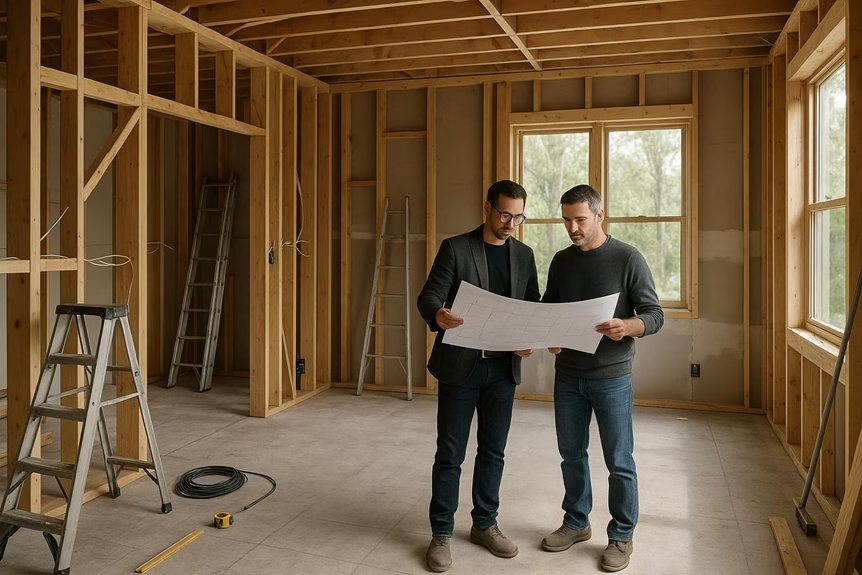
Pre-construction walkthroughs let you experience your future home, studio, or media space in immersive 3D, 360°, and virtual tour views before construction is complete. For homeowners and commercial clients across West Orange, NJ, NYC, Hoboken, and Jersey City, these walkthroughs make it easier to evaluate room flow, sightlines, scale, finishes, acoustic treatments, motorized shades, lighting control, and smart home technology with far more clarity than drawings alone. Features such as fly-throughs, dollhouse views, floor-by-floor navigation, hotspots, and measurement tools help uncover potential issues early, reduce costly changes, and speed up approvals. Up next, see how these tours support better decisions for soundproofing, acoustics, privacy, and integrated home technology.
Key Takeaways
- Pre-construction walkthroughs use 3D, 360°, and virtual tours to preview smart home, acoustic, and home theater plans before construction is complete.
- They help homeowners and design teams better understand layout, scale, sightlines, and room flow than drawings alone, with fly-through and dollhouse views that make technology integration easier to visualize.
- Teams can review acoustic treatments, soundproofing details, motorized shades, lighting control, smart home technology placement, and home theater features before installation begins.
- Early walkthroughs help catch layout, wiring, lighting, privacy, and acoustic issues in advance, reducing costly revisions and avoiding rework during construction.
- Shared virtual links and measurement tools support remote collaboration, faster approvals, and more confident decisions for homes, studios, and other spaces where comfort, noise control, and convenience matter most.
What Are Pre-Construction Walkthroughs?
Before construction wraps up, pre-construction walkthroughs let you explore a future home, theater, or commercial space through immersive 3D, 360-degree, and virtual tour experiences. They help you understand the project before finishes, furnishings, acoustic treatments, motorized shades, or smart home systems are installed.
With immersive visualization, you can better grasp layout, scale, sightlines, and how spaces will function while plans are still being refined.
For homeowners in West Orange, Hoboken, Jersey City, NYC, and throughout the Tri-State area, this is especially valuable when planning premium spaces where comfort, privacy, and performance matter.
A virtual walkthrough can help you preview how a media room may support home theater design, where automated window treatments may improve privacy and light control, or how a room may accommodate acoustic panels, ceiling treatments, and integrated lighting.
It can also show where motorized shades and other integrated technologies may improve comfort, convenience, and overall room performance.
Instead of guessing from drawings alone, you can make more confident decisions earlier in the process.
These digital walkthroughs also support remote collaboration, so you don’t have to visit the site constantly to stay involved.
Clients, designers, and contractors can review room relationships, evaluate technology placement, and align on design intent from anywhere.
For projects involving soundproofing, acoustics, home automation, or luxury entertainment spaces, pre-construction walkthroughs create a clear, practical way to communicate ideas early, reduce misunderstandings, and keep the project moving efficiently.
What Buyers Can See in Virtual Walkthroughs
What can you actually see in a virtual walkthrough? For Total Home Interiors clients, it’s a practical way to preview how a space will look and function before installation begins—whether you’re planning soundproofing, acoustic treatments, motorized window shades, home automation, or a dedicated home theater.
As you move through immersive 360 views, you can better understand room flow, layout, sightlines, and scale. This is especially helpful when evaluating where acoustic panels may improve sound quality, how automated shades will affect privacy and light control, or how a home theater design will fit within the room. In a home theater plan, identifying first reflection points in the walkthrough can help guide where acoustic panels should be placed for better dialogue intelligibility and reduced echoes.
Some platforms also allow a “fly-through” view for a broader perspective of the entire space.
You may also be able to switch between dollhouse and floor-by-floor views, making it easier to understand multi-level homes and integrated technology plans. If measurement tools are available, you can check wall spans, window dimensions, seating clearances, and other details that matter when planning custom solutions.
Some walkthroughs also support VR headset viewing for a more immersive sense of presence.
Most importantly, a virtual walkthrough helps you visualize how professionally designed solutions can improve comfort, privacy, and everyday convenience—so you can make more informed decisions before moving forward with an on-site consultation.
How Virtual Walkthroughs Preview Layout and Finishes
Virtual walkthroughs don’t just preview a home’s layout and finishes—they can also help homeowners and designers visualize how privacy, acoustics, and integrated technology will work throughout the space.
By moving room to room before construction or renovation is complete, you can better understand flow, identify where outside or neighbor noise may be a concern, and see where motorized shades, acoustic treatments, or smart lighting controls may fit naturally into the design.
Through 3D modeling, realistic materials, and lighting visualization, it becomes easier to evaluate how finishes will look alongside functional upgrades such as fabric wall systems, automated window treatments, or custom home automation features. Virtual planning can also help identify primary reflection points so acoustic panels can be placed more effectively before installation begins.
- Review room-to-room transitions and overall layout
- Identify areas where soundproofing or acoustic treatment may be needed
- Visualize motorized shades, privacy solutions, and lighting control
- Test furniture placement and clearance near doors, walls, and windows
These tools are especially valuable when a property is still being built or renovated and traditional photography isn’t available.
Instead of relying on static images alone, you can make more informed decisions about spacing, materials, privacy, and comfort online.
For homeowners in West Orange, NJ and across the Tri-State area, that means a clearer path to creating quieter, smarter, and more comfortable interiors with expert guidance from Total Home Interiors.
Virtual Tour Features That Help Buyers Decide
Because buyers often need to decide quickly, the most useful virtual tour features are the ones that make a space feel understandable before you ever step inside. You move faster when a tour includes immersive navigation, floor plan views, clickable hotspots, and clear neighborhood context, because those features improve layout clarity and help you see how rooms connect before scheduling a visit.
For homeowners in places like NYC, Hoboken, Jersey City, and Northern New Jersey, that clarity matters even more when privacy, noise, and smart-home potential are part of the decision. A strong virtual tour should help you evaluate where automated window treatments could improve privacy and light control, where laminated glass or acoustic inserts may reduce street or neighbor noise, and how integrated technology like lighting control or whole-home audio could fit into the layout.
Measurement tools also add confidence by letting you check wall spacing, doorway widths, and furniture fit for smarter planning.
VR viewing on the web or through a Meta Quest headset can make that experience feel more natural, giving you the freedom to explore at your own pace with full 360° movement. Since 77% of buyers use virtual tours, and 54% say they’re the most useful listing feature, the best tours do more than showcase finishes—they help buyers make informed decisions about comfort, privacy, and how a home can truly function.
Why Pre-Construction Walkthroughs Reduce Revisions
When you can walk through a space in immersive 360° or VR before construction begins, you can catch layout, lighting, and usability issues while changes are still simple and cost-effective. For projects involving soundproofing, acoustics, motorized window treatments, home automation, or home theater design, that early clarity helps everyone understand exactly how the finished space will look and function.
Because the walkthrough is built from your actual plans, you can evaluate details that often lead to revisions later, such as speaker placement, acoustic panel locations, shade pockets, lighting scenes, equipment visibility, and furniture flow. This creates stronger alignment among homeowners, designers, architects, and contractors—especially on premium projects where performance and aesthetics must work together. In theater-focused rooms, planning around first reflection points and bass trap locations early can improve dialogue clarity and reduce costly acoustic adjustments later.
- Confirm finishes, materials, and technology placement earlier.
- Spot design conflicts before construction or rough-in begins.
- Share one visual link with remote decision-makers for faster feedback.
- Reduce repeat site visits and avoid decision fatigue.
That leads to real cost savings. Late changes to acoustic treatments, wiring paths, shade integration, or theater layouts can create expensive rework once framing, drywall, or finish work is underway. Even if a polished walkthrough takes several working days to produce, it’s usually far less costly than correcting built mistakes.
It also keeps revisions focused, helping projects move toward approval faster without reopening settled decisions.
For homeowners and commercial clients in West Orange, NJ and across the Tri-State area, pre-construction visualization supports smarter planning, fewer surprises, and a more refined final result.
How Walkthroughs Speed Up Design Approval
That same early clarity helps you approve interior technology and design plans faster. When you can walk through an accurate pre-construction space, it’s easier to confirm speaker locations, acoustic treatment placement, window treatment fit, and overall room flow before installation begins. That reduces the chance of late changes that can affect sound performance, privacy, or system integration. It also makes remote stakeholder alignment easier, since you can share one link with your household, designer, architect, or project team and gather feedback early.
Virtual walkthroughs also shorten decision cycles because they make complex choices easier to evaluate from anywhere. Instead of reviewing static drawings alone, decision-makers can quickly understand how automated shades will sit at the windows, how acoustic panels will look on key walls, or how lighting and AV elements will work together in the finished space. Keeping the experience to three to five minutes makes feedback more efficient. Interactive floor plans and digital measurement tools also support more specific conversations about dimensions, sightlines, furniture placement, and installation clearances. They can also help teams evaluate where acrylic window inserts may improve privacy and reduce outside noise before final specifications are approved.
That leads to faster approvals, quicker consensus, and a smoother path to construction and integration.
Frequently Asked Questions
How Much Do Pre-Construction Walkthroughs Typically Cost?
You’ll typically pay $300 to $1,500 for a pre-construction walkthrough, though more complex soundproofing, acoustics, window treatment, home automation, or home theater projects can cost more.
Pricing usually depends on the walkthrough scope, property size, system complexity, and the experience of the consultant or integration specialist.
For homeowners and businesses in West Orange, NJ, Jersey City, Hoboken, and NYC, it’s smart to ask for a clear cost breakdown so you understand exactly what’s included.
You should also watch for added charges such as travel fees, detailed design recommendations, acoustic analysis, or follow-up site visits.
Comparing quotes carefully helps you protect your budget while ensuring you’re investing in professional expertise, not guesswork.
How Long Does It Take to Create a Virtual Walkthrough?
Most virtual walkthroughs take about 1 to 4 weeks to complete, depending on the level of detail, the speed of approvals, and how prepared the project materials are.
For luxury residential spaces, home theaters, smart home environments, and custom window treatment presentations, timelines are often faster when floor plans, finish selections, and project goals are clearly defined from the start.
More advanced walkthroughs that showcase lighting control, acoustic treatments, motorized shades, or integrated home automation may require additional refinement to accurately represent the final experience.
The process moves more efficiently when feedback is consolidated, milestones are approved promptly, and communication stays consistent throughout the project.
Can Walkthroughs Be Updated After Design Changes?
Yes, walkthroughs should be updated after design changes. Keeping them current helps clients and project teams clearly understand revised layouts, finishes, technology features, and any integration updates.
For projects involving automated window treatments, home automation, acoustics, or home theater planning, an updated walkthrough can prevent confusion, improve coordination, and highlight important budget impacts before installation begins.
Timely revisions help everyone make faster decisions, catch issues earlier, and keep the project aligned with the final design vision.
What Software Is Commonly Used for Architectural Walkthroughs?
For architectural walkthroughs, professionals commonly use software like Autodesk Revit, SketchUp, Lumion, Enscape, Twinmotion, 3ds Max, and Unreal Engine. These platforms help designers create detailed interior spaces, test lighting, and present realistic visual experiences before installation begins.
For firms like Total Home Interiors, walkthrough tools can be especially useful when planning premium spaces such as home theaters, automated window treatment layouts, smart lighting scenes, and acoustically optimized rooms.
Real-time platforms like Enscape and Twinmotion are helpful for quick revisions and client previews, while Lumion, 3ds Max, and Unreal Engine are often chosen for more refined, cinematic presentations that showcase luxury design and technology integration.
Do Virtual Walkthroughs Work on Phones and Tablets?
Yes—virtual walkthroughs typically work on phones and tablets, letting you explore a space from almost anywhere.
Most tours open through a web browser or dedicated app, though performance can vary based on your device, operating system, and internet connection.
On tablets, navigation often feels smoother and the larger screen can make details easier to see.
Most mobile walkthroughs support common touch controls like swipe, drag, and pinch-to-zoom.
Conclusion
Pre-construction walkthroughs give you a clear, confident view of your future home or studio before construction begins. For projects involving acoustics, soundproofing, motorized window treatments, or smart home integration, they help you identify layout concerns early, compare design options, and make informed decisions with less uncertainty. These visual planning tools can speed up approvals, reduce expensive revisions, and ensure every detail supports comfort, privacy, and performance. Instead of relying on imagination alone, you can preview how your space will function and feel—before the first phase of installation starts.