When you hire a professional for conference room A/V installation, expect more than equipment hookup. A qualified integrator should begin with a site survey and room evaluation, looking at display placement, camera angles, microphone coverage, speaker performance, acoustics, and network requirements. From there, the system should be designed for reliable Zoom and Microsoft Teams meetings, with clean cable management, secure mounting, simple control programming, and testing under real meeting conditions before final signoff. For businesses in West Orange, NJ, Hoboken, Jersey City, NYC, and across the Tri-State area, this professional process helps protect long-term performance, speech clarity, and ease of use—especially in spaces where acoustics, privacy, and day-to-day usability matter.
Key Takeaways
- A professional conference room A/V installer begins with a site survey to evaluate room layout, acoustics, existing infrastructure, and how your team uses the space before recommending the right displays, microphones, cameras, speakers, and control solutions.
- Installation typically includes mounting equipment, routing and labeling cabling, and integrating the system cleanly with your room design for reliable day-to-day performance and easier future service.
- Experienced pros follow best practices for power separation, low-voltage wiring, secure mounting, and organized terminations to support long-term performance, safety, and upgrade flexibility.
- Audio and video performance is then refined through proper microphone placement, speaker tuning, echo reduction, and acoustic treatment recommendations—an important step for conference rooms in busy offices where noise and speech clarity matter.
- Before handoff, the installer configures platforms like Zoom and Microsoft Teams, tests real-world call quality, and provides training and support so your conference room technology works smoothly from day one.
What Happens on Installation Day?
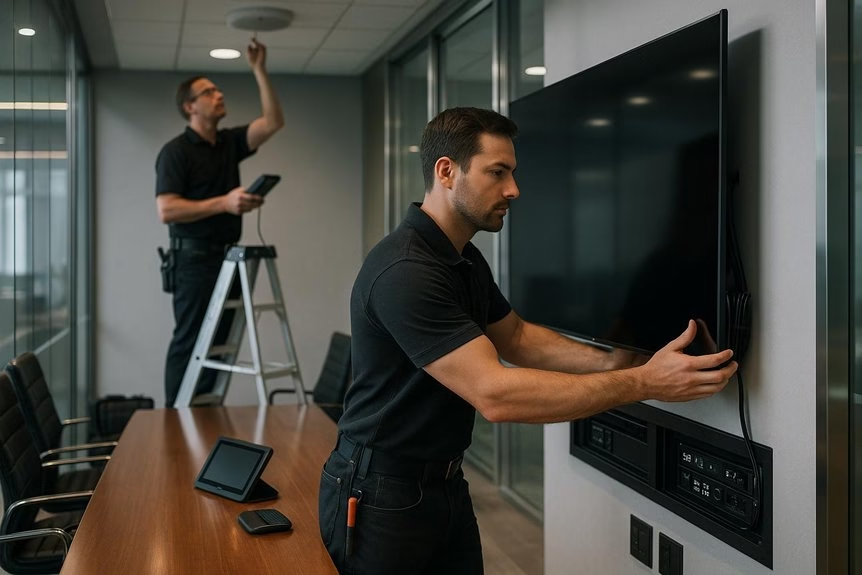
On installation day, our team arrives with the approved equipment list and site survey notes, then confirms that the display, sound bar, and camera/mic placement still align with the room layout before any work begins. This extra review helps prevent surprises and ensures the system fits the space as intended.
Once placement is verified, we mount the display, attach the sound bar, and install the camera and microphones with careful attention to clean finish quality and long-term performance.
When needed, we route cables through walls or ceilings, secure every connection, and complete clear cable labeling to make future service faster and more efficient.
After the hardware is installed, we configure the audio and video settings and test system performance for platforms like Zoom and Microsoft Teams Rooms.
We check power, network connectivity, microphone coverage, input switching, and overall signal flow, then fine-tune the system for the room’s acoustics so speech is clear and meetings run smoothly. In rooms where echo or speech bleed is a concern, we may also recommend acoustic panels to improve clarity and reduce reflections.
Before we leave, we walk you through basic operation and confirm everything is working live.
How Pros Plan the AV Install
Before installation begins, Total Home Interiors starts with a detailed site survey to evaluate the room’s size, layout, acoustics, and how the space is actually used. That planning stage is especially important for homes and businesses dealing with echo, speech privacy concerns, outside noise, or rooms that need seamless technology integration.
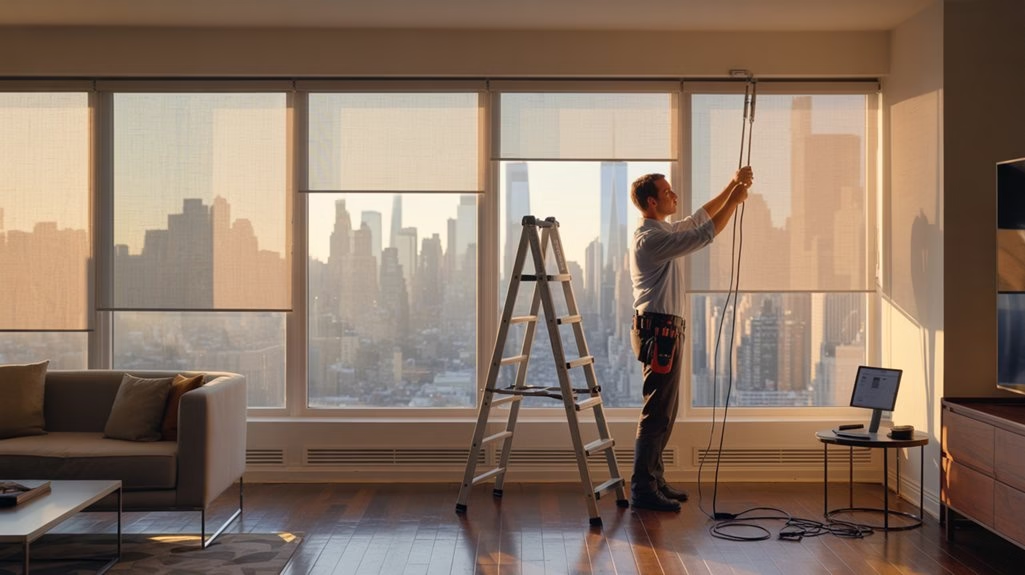
From there, the design is tailored to your priorities—whether that means improving sound quality with acoustic treatments, reducing noise transfer with soundproofing strategies, automating shades for privacy and light control, or integrating smart home systems for simpler everyday use. Every recommendation is matched to the space, the architecture, and the way you live or work. Pros may also factor in STC ratings and low-frequency control needs when recommending wall assemblies, insulation, and acoustic treatments for better speech privacy and overall sound performance.
Next, the team develops system layouts, wiring plans, and integration details for lighting control, motorized window treatments, network infrastructure, AV distribution, and room controls. Budget planning is handled strategically, so the most important features come first without compromising performance.
Timeline scheduling is also carefully coordinated to minimize disruption and keep installation efficient.
To make the finished system intuitive, user access, control methods, and automation settings are defined early in the process. Training needs are also considered, so homeowners and staff feel confident using their new technology from day one.
Before completion, every system is tested, adjusted, and documented to ensure reliable performance and easier long-term support.
How Room Size and Acoustics Affect Design
Once the plan is in place, room size and acoustics directly affect how well a conference room performs every day. In larger rooms or spaces with high ceilings, sound tends to bounce and linger, which can make meetings feel noisy, unclear, and fatiguing.
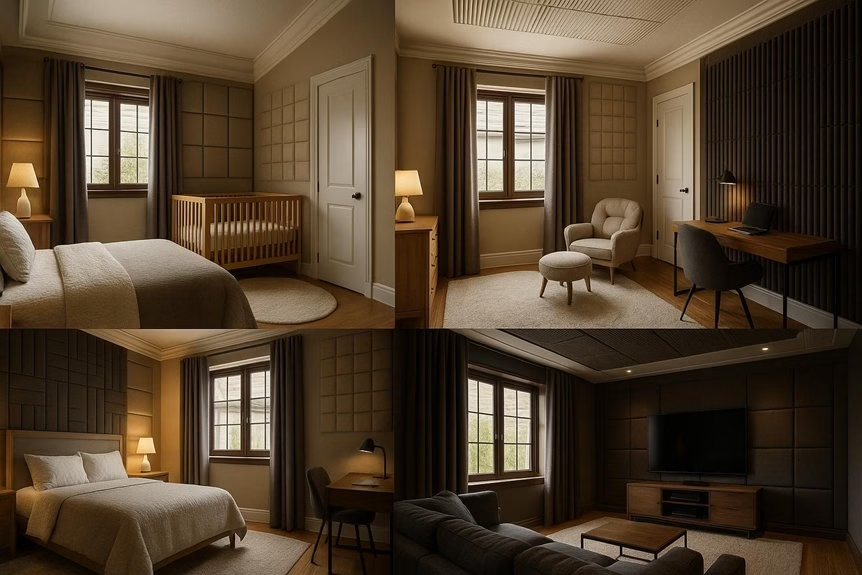
That’s why professional acoustic treatment is so important. At Total Home Interiors, we evaluate how wall, ceiling, and glass surfaces reflect sound and recommend solutions like acoustic panels, fabric wall systems, and ceiling treatments to reduce echo and improve speech clarity during Zoom and Teams calls. Choosing treatments with a high NRC rating helps improve sound absorption and reduce reflections in rooms with hard surfaces.
Balanced audio coverage is just as important. Microphones and speakers need to be placed based on room dimensions, seating layout, and how the space is actually used so everyone can be heard clearly.
In bigger conference rooms, that may mean multiple microphones or ceiling array systems paired with careful tuning to keep nearby voices from sounding too loud while making sure people farther away are still intelligible.
The result is a cleaner, more professional meeting experience that supports focus, communication, and privacy.
Which AV Equipment Gets Installed?
When the room is designed around your workflow, the installed AV package typically starts with a professional 4K display and a calibrated audio system that delivers clear speech and consistent performance. At Total Home Interiors, we focus on solutions that feel seamless in daily use, whether for a home office, conference space, or dedicated media environment in West Orange, Hoboken, Jersey City, or NYC.
From there, the system is built around how the space is actually used. Cameras and microphones are selected for reliable hybrid meetings, clean voice pickup, and simple operation, while wireless presentation tools can reduce cable clutter and make content sharing easier from laptops and mobile devices. Similar to distinct audio zones in whole-home AV, modern conference room systems can be configured so different areas support different audio needs without disrupting the overall experience.
We also install and program the control layer for one-touch meeting start, source switching, and smart integration with lighting, shading, audio, and network infrastructure when needed.
Because long-term performance matters, every component is professionally mounted, wired, configured, and tested as part of a complete solution. With thoughtful system design, premium equipment selection, and expert aftercare, Total Home Interiors delivers AV installations that support privacy, convenience, and dependable everyday use.
Will It Work With Zoom and Teams?
How well your conference room works with Zoom and Teams comes down to professional system design, programming, and network setup, not guesswork. At Total Home Interiors, we build conferencing spaces around the way your team actually meets, with reliable Zoom and Microsoft Teams compatibility, properly configured control systems, and integrated audio/video performance that feels seamless from day one.
That means verifying platform compatibility, programming cameras, microphones, speakers, and displays to respond correctly, and testing every part of the conferencing workflow before the room goes live.
We confirm clean call launches, proper audio routing, stable video, and dependable performance during hybrid meetings.
We also address the underlying network and WiFi infrastructure that often causes dropped connections, no-sound issues, or camera failures.
Like effective noise-control planning in buildings, addressing issues during the design phase helps prevent technical problems before the room goes live through proper system design.
With ongoing support, your conference room stays ready for platform updates, setting changes, and everyday use, so meetings remain smooth, professional, and frustration-free.
How Pros Handle Wiring and Mounting
Before any technology or finish elements are installed, Total Home Interiors carefully evaluates the room, maps concealed wire paths, and plans mounting locations so displays, speakers, microphones, motorized shades, and control devices are positioned correctly with a clean, polished result.
You benefit from:
- Precise layout and placement measurements
- Stud and structural checks for secure mounting
- Proper anchors and hardware for long-term stability
- Clean separation of power and low-voltage wiring
- Clear cable labeling for easier future service
Our team routes HDMI, audio, speaker, control, network, and power lines to help reduce interference and support reliable system performance. In spaces where sound control matters, materials like Mass Loaded Vinyl can also help block airborne noise and improve overall A/V performance.
Every connection is terminated neatly to keep setup efficient and future upgrades manageable.
Neat, professional terminations keep installation efficient and make future upgrades, service, and system changes far easier to manage.
We also perform equipment testing before the project is finalized, confirming signal quality, display performance, microphone pickup, speaker output, and overall system functionality.
For homeowners and businesses across West Orange, NJ, and the Tri-State area, this professional approach helps avoid the visible wiring, unstable mounting, and performance issues often seen with DIY installations.
How Testing Catches AV Problems Early
After installation, professional testing helps catch the issues that often stay hidden until the room is in daily use. Total Home Interiors evaluates real-world conditions that affect performance, from daytime glare on motorized shades to room noise that impacts speech clarity and privacy.
By testing the full system before handoff, we help homeowners and businesses avoid frustrating surprises once meetings, entertainment, or everyday routines begin.
We verify room clarity by checking microphone coverage, echo control, speaker performance, and overall intelligibility at normal speaking distances.
Proper treatment at first reflection points can further reduce echoes and improve dialogue intelligibility in media and meeting spaces.
For integrated spaces, we also confirm that lighting control, automated window treatments, and network-connected devices respond properly together.
Video and control testing ensures cameras, presets, platform pairing, and user interfaces work reliably, while network checks uncover latency, routing, or connectivity issues early.
Before completion, our team labels connections, reviews software and firmware, and runs realistic use-case testing so hidden problems are resolved before they affect your comfort, privacy, or system performance.
How Your Team Learns the System
Once your system is installed and calibrated, the Total Home Interiors team provides in-person training so your staff can use the technology confidently from day one.
Whether that includes motorized window treatments, lighting scenes, whole-home audio, or integrated control systems, we focus on the real tasks your team will use every day.
You learn through practical, guided use, including:
- Adjusting automated shades for privacy and light control
- Using lighting presets and scene controls
- Managing audio and video sources
- Understanding room acoustics and sound performance
- Operating integrated smart home or commercial control features
Our technicians walk you through daily routines, from selecting the right scene setting to using devices properly within the space.
We also explain how sound masking can help reduce distracting speech and improve comfort in open-concept environments where privacy and focus matter.
We also provide clear step-by-step user guides, so your team can operate the system with minimal assistance.
During onboarding, you’ll practice basic troubleshooting, such as identifying connectivity or control issues using the system’s built-in prompts.
This hands-on approach helps improve comfort, supports long-term adoption, and reduces avoidable disruptions.
For clients in West Orange, Hoboken, Jersey City, and across the Tri-State area, that training is part of delivering a technology solution that feels intuitive, polished, and professionally integrated.
What Support Comes After Install?
Even with a well-designed system, ongoing support is essential to keep your conference room technology performing reliably. After installation, your A/V and automation partner should be available to answer questions, troubleshoot issues, and resolve problems before they interrupt an important meeting.
Whether a camera stops responding, audio cuts out, or a control interface becomes unreliable, professional support helps restore performance quickly and minimizes disruption.
Like professional soundproofing, expert post-installation service offers warranty coverage and reduces the risk of costly errors or unresolved performance issues over time.
Support plans often include remote troubleshooting, system monitoring, and software updates for conferencing platforms and room controls. This helps Zoom, Teams, and Webex operate more consistently while keeping integrated technology current.
For businesses in West Orange, Hoboken, Jersey City, NYC, and across the Tri-State area, dependable post-installation support protects day-to-day usability, reduces downtime, and ensures conference rooms remain ready for presentations, training sessions, and team collaboration.
How to Plan for Future AV Upgrades
Planning for future home technology upgrades starts with an infrastructure plan that won’t limit you as your needs evolve. At Total Home Interiors, we help homeowners and businesses across West Orange, NJ, Hoboken, Jersey City, and NYC build systems that support long-term performance in home automation, motorized window treatments, acoustics, and home theater design.
- Start with strong network infrastructure and WiFi optimization to support future Home Automation upgrades.
- Plan wiring, power, mounting, and control locations early for easier additions like automated shades, lighting control, or distributed audio.
- Choose premium systems from trusted brands such as Lutron, Somfy, and Hunter Douglas PowerView for better long-term integration.
- Include service, programming updates, and system support to keep your smart home running reliably.
- Ask for an upgrade roadmap that outlines future phases, compatibility, and investment priorities.
When these details are considered during the design stage, upgrades can happen in phases instead of requiring a full replacement later. That means better performance, cleaner installations, and a smarter investment for your home or commercial space. For media spaces, planning ahead for sound isolation with materials like mass-loaded vinyl, acoustic panels, and resilient channels can also make future home theater upgrades far more effective.
Frequently Asked Questions
How Much Does AV Cost for a Conference?
Conference A/V costs can range from a few thousand dollars for a basic presentation setup to tens of thousands for larger, more advanced spaces with video conferencing, distributed audio, and integrated control.
Pricing depends on the size of the room, the quality of the acoustics, display and microphone requirements, speaker coverage, and how well the system needs to work with platforms like Zoom or Teams.
In many cases, costs rise quickly when cabling, control programming, network requirements, and installation complexity are factored in.
Working with experienced professionals helps ensure the system is designed properly, performs reliably, and supports a better meeting experience long term.
What Are the Five Elements Required for Video Conferencing?
Five core elements make video conferencing work well: a camera, microphone, speakers, display, and a reliable conferencing platform.
Just as important is strong network infrastructure and WiFi optimization, which help keep calls stable, clear, and frustration-free.
Proper lighting control also improves visibility, making participants look more professional on screen.
For homeowners and businesses in West Orange, Hoboken, Jersey City, and across the Tri-State area, professionally integrated conferencing and smart technology solutions create a smoother, more dependable experience than piecing systems together on your own.
With the right setup, everyone can hear clearly, see clearly, and participate without distraction.
Do and Don’ts for Meeting Room?
Picture a smooth meeting: you walk in, voices sound crisp, and everyone sees clearly. In a professionally designed conference room, good etiquette supports the technology already in place. Arrive prepared, keep side conversations to a minimum, and stay mindful of seating so sightlines to displays and cameras remain clear. Practice proper mic etiquette by speaking clearly, one at a time, and making sure remote participants are included in the discussion.
Do test screen sharing and presentation sources before others join, especially in rooms with integrated AV and conferencing systems. Don’t ignore cable management—visible, loose wires create clutter, safety concerns, and a less polished experience.
You should also avoid blocking cameras, dominating the meeting, or disrupting the flow of a space designed for clear communication.
For offices in West Orange, NJ and across the Tri-State area, Total Home Interiors helps create conference rooms that sound better, look cleaner, and support more productive collaboration through expert acoustics, smart technology integration, and thoughtfully designed environments.
What Is AV in a Conference Room?
AV in a conference room refers to the audio, video, and control technology that helps meetings run clearly, professionally, and without distractions. In commercial spaces, that often includes displays, cameras, microphones, speakers, and easy-to-use controls for presentations and video conferencing.
Just as important, meeting room audio and acoustics must be properly designed so everyone can hear clearly, be understood, and avoid echo or uneven sound.
A reliable network is also essential to support smooth Zoom, Teams, and Webex calls without dropouts or lag—especially in modern offices that depend on seamless communication.
Conclusion
When you hire a professional for conference room A/V installation, you’re not just adding equipment—you’re creating a space that supports clear communication, better focus, and a more polished experience for every meeting. For offices throughout West Orange, NJ and the Tri-State area, a properly designed system can combine sharp video, balanced sound, reliable conferencing, and acoustic treatments that reduce echo and improve speech clarity. Instead of dealing with dropped calls, uneven audio, and distracting room noise, your team gets technology that works the way it should. A professional installation also ensures the system is integrated with your lighting, control platform, and network infrastructure for a smoother day-to-day experience. Plan it correctly from the start, and your conference room will be ready not only for today’s meetings, but for the long-term needs of your business.